




A smart thermostat is designed to make home cooling easier by providing better temperature control, automation, remote access, and improved energy efficiency. However, when it suddenly stops working, it can quickly become frustrating—especially in the UAE, where air conditioning is essential for daily comfort.
Whether your thermostat screen is blank, your AC isn’t responding, or the mobile app refuses to connect, there are usually logical explanations behind the problem.
If you’re dealing with a smart thermostat not working UAE situation, this guide will help you identify common causes and practical solutions before calling a technician.
Common Smart Thermostat Problems in UAE Homes
Homeowners frequently report issues such as:
- Blank thermostat screens
- AC not responding
- Wi-Fi connection failures
- Incorrect temperature readings
- Mobile app synchronization problems
- Constant thermostat reboots
- Scheduling failures
- Offline status errors
- Delayed cooling responses
Let’s look at each issue individually.
1. Thermostat Screen Is Blank
A blank display often suggests a power-related issue.
Common Causes
- Dead batteries
- Electrical interruption
- Loose wiring
- Tripped circuit breaker
- HVAC power failure
How to Fix It
Start with the basics.
If your thermostat uses batteries:
- Replace them with fresh batteries
- Avoid mixing old and new batteries
For hardwired units:
- Check the circuit breaker
- Verify HVAC power is active
- Inspect wiring connections if accessible
For many smart thermostat not working UAE cases, power supply problems are the simplest explanation.
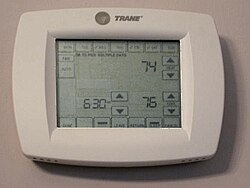
2. Thermostat Is On but AC Isn’t Responding
One of the most confusing situations is when the thermostat appears operational, but cooling never starts.
Possible Causes
- Incorrect thermostat mode
- HVAC communication issues
- Wiring problems
- Compatibility conflicts
- HVAC safety lockouts
Troubleshooting Steps
Check that:
- Cooling mode is enabled
- The target temperature is lower than room temperature
- HVAC breakers are functioning properly
- No system error messages are present
If the thermostat was recently installed, compatibility should be investigated first.
3. Wi-Fi Keeps Disconnecting
Most smart thermostats rely heavily on internet connectivity.
Wi-Fi failures often remove remote control functionality.
Common Causes
- Weak router signal
- Network interruptions
- Router resets
- Firmware glitches
- Wireless interference
Solutions
Try the following:
- Restart the router
- Reconnect the thermostat manually
- Update firmware
- Verify Wi-Fi credentials
- Improve signal coverage
For larger villas, Wi-Fi dead zones are a common reason for smart thermostat not working UAE complaints.
4. Temperature Readings Are Incorrect
If the thermostat shows one temperature but the room feels completely different, sensor placement may be the problem.
Common Causes
- Direct sunlight exposure
- Nearby electronics
- Poor airflow
- Heat-generating appliances
- Sensor calibration issues
Check Thermostat Placement
Avoid installation near:
- Windows
- Kitchen appliances
- Air vents
- TVs
- Areas with direct sunlight
Poor placement can cause inaccurate readings and inefficient cooling.
5. Mobile App Isn’t Syncing
Sometimes the thermostat works locally while the app becomes unreliable.
Signs of Sync Problems
- Outdated temperature readings
- Delayed commands
- Login issues
- Missing notifications
Quick Fixes
Try:
- Force-closing the app
- Logging out and back in
- Updating the app
- Restarting the thermostat
- Checking internet connectivity
Cloud service interruptions may occasionally affect synchronization.
6. AC Runs Constantly
If cooling never seems to stop, the thermostat may not be entirely responsible.
Possible Causes
- Aggressive temperature settings
- Dirty AC filters
- HVAC inefficiency
- Incorrect thermostat configuration
- Excessive cooling demand
What to Check
Ask yourself:
- Is the target temperature set too low?
- Are AC filters clean?
- Is the cooling system functioning properly?
During peak summer months, extended AC operation can still be normal.
7. Cooling Schedule Isn’t Working
Scheduling problems are another common smart thermostat not working UAE issue.
Common Causes
- Overlapping schedules
- Occupancy detection conflicts
- Vacation mode activation
- Incorrect time zone settings
- Automation rule conflicts
Solutions
Review:
- Active schedules
- Automation settings
- Occupancy rules
- Time zone configuration
- Location permissions
Many scheduling problems are resolved through simple configuration adjustments.
8. Thermostat Keeps Restarting
Frequent restarts usually indicate either a power issue or software instability.
Possible Causes
- Wiring problems
- Low battery voltage
- Firmware bugs
- HVAC communication faults
Troubleshooting Steps
Try:
- Replacing batteries
- Updating firmware
- Inspecting wiring connections
- Restarting the thermostat
Repeated reboots after installation often point to wiring errors.
9. Thermostat Shows “Offline”
An offline message usually indicates a communication problem rather than device failure.
Common Causes
- Internet outages
- Changed Wi-Fi credentials
- Router replacement
- Network synchronization errors
Fix
Reconnect the thermostat to the network and restart both the app and thermostat.
Many smart thermostat not working UAE issues are resolved by restoring stable internet connectivity.
UAE-Specific Smart Thermostat Challenges
The UAE climate creates some unique challenges.
Heat Exposure
Thermostats installed in poor locations can receive excessive heat exposure.
Avoid placing them near:
- Sun-facing walls
- Entry doors
- Direct sunlight
- Warm appliances
HVAC Compatibility
Not every smart thermostat works with every cooling system.
Many UAE homes use:
- Centralized cooling systems
- Packaged AC units
- Older HVAC controls
- Building-managed cooling infrastructure
Compatibility checks are essential before installation.
Villa Wi-Fi Coverage
Larger villas often experience connectivity problems due to signal limitations.
Mesh Wi-Fi systems can improve thermostat reliability.
Sometimes the Problem Isn’t the Thermostat
Many homeowners assume the thermostat is faulty when the actual issue lies within the AC system.
Warning signs include:
- Weak airflow
- Warm air from vents
- Frozen evaporator coils
- Strange AC noises
- Water leakage
- Short cycling
In these cases, replacing the thermostat won’t solve the problem.
When to Call a Professional
Basic troubleshooting is often worthwhile.
However, professional help is recommended when:
- Wiring issues are suspected
- Thermostat failures continue repeatedly
- HVAC compatibility is uncertain
- Error codes persist
- Cooling performance remains inconsistent
- Installation was recently completed
Final Thoughts
Experiencing a smart thermostat not working UAE issue does not automatically mean expensive repairs are needed.
Many problems are caused by simple factors such as:
- Battery failures
- Wi-Fi connectivity issues
- Incorrect settings
- Scheduling conflicts
- Installation mistakes
Start with the easiest checks first.
In many cases, restoring power, reconnecting Wi-Fi, updating settings, or correcting schedules solves the issue quickly.
And if the root cause turns out to be the HVAC system rather than the thermostat, you’ll know exactly where to focus your attention next.
Smart Thermostat Not Working UAE
Smart Thermostat Not Working UAE
Smart Thermostat Not Working UAE