



Smart locks make daily life easier—until they stop responding when you need them most.
Whether you are arriving home late, rushing out for work, or carrying groceries, facing a smart lock battery dying emergency can feel stressful. One of the biggest concerns homeowners have about smart locks is simple: what happens when the battery dies?
The good news is that most modern smart locks include backup options designed to prevent complete lockouts.
If you are dealing with a smart lock battery dying emergency, here is exactly what to do.
Stay Calm First
A non-responsive smart lock does not always mean the battery is completely dead.
Many smart locks provide warning signs before full failure.
Common alerts include:
- Low battery app notifications
- Warning beeps
- Flashing LED lights
- Slower unlock response
- Voice battery warnings
If you notice any of these signs, act quickly.
A smart lock battery dying emergency is much easier to manage before the battery completely fails.
Check for Emergency Power Backup
Many premium smart locks include temporary emergency power access.
This is often the fastest solution during a smart lock battery dying emergency.
Common emergency power methods include:
- USB emergency charging ports
- 9V battery contact points
- External power connectors
How It Works
Some locks allow temporary power from outside the door.
You connect a compatible power source, the lock powers briefly, and you unlock normally.
Important: this usually provides temporary access only—it does not fully recharge internal batteries.
Use the Physical Backup Key
Some smart locks include hidden mechanical override access.
If your lock has this feature, it is often the simplest fix.
Check for:
- Hidden key slot under a protective cover
- Bottom-mounted key access
- Side-mounted mechanical cylinder
Many users forget this exists until they face a smart lock battery dying emergency.
If you have the backup key, use it immediately.
Try the Mobile App
If the battery is low rather than fully dead, the companion app may still work.
Try:
- Bluetooth unlock
- Remote unlock
- Retrying after a few seconds
Sometimes keypad or fingerprint access fails before app communication completely stops.
This depends on the smart lock model.
Replace Batteries Immediately
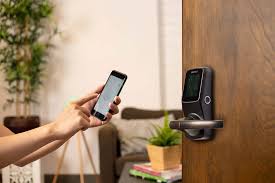
If you regain access, replace the batteries right away.
Do not delay.
Best practices include:
- Use fresh premium batteries
- Replace the full battery set
- Follow manufacturer recommendations
- Avoid mixing old and new batteries
Low-quality batteries often cause unreliable performance.
What If You Are Locked Out Completely?
This is the situation most homeowners worry about during a smart lock battery dying emergency.
Start with the safest options first.
Option 1: Use Emergency External Power
If your smart lock supports emergency charging, connect temporary power.
Option 2: Use the Backup Key
Mechanical override remains one of the most reliable solutions.
Option 3: Use Another Entry Point
If safe access exists elsewhere, use it.
Examples:
- Another household member unlocking remotely
- Secondary door access
- Apartment building security assistance
Option 4: Contact a Professional Locksmith
If none of the backup methods work, professional assistance may be necessary.
Do not force the door.
Forced entry can damage:
- Smart lock motors
- Deadbolt alignment
- Internal electronics
- Door frames
That turns a battery issue into a costly repair.
Common Mistakes to Avoid
A smart lock battery dying emergency becomes worse when avoidable mistakes happen.
Ignoring Battery Warnings
Most smart locks provide early alerts.
Ignoring them is the most common cause of emergency lockouts.
Using the Wrong Batteries
Incorrect battery types can create performance issues.
Always follow manufacturer recommendations.
Forcing the Lock
Physical force can permanently damage internal mechanisms.
Assuming All Smart Locks Work the Same
Emergency backup methods vary by brand and model.
Know your lock’s specific features.
How to Prevent Future Battery Emergencies
The easiest smart lock battery dying emergency is the one you avoid.
Enable Battery Alerts
Make sure app notifications are turned on.
Keep Spare Batteries Ready
A backup battery set saves time and frustration.
Store the Backup Key Properly
Never keep it inside the locked property.
Choose a secure but accessible location.
Learn Emergency Access Before You Need It
Read the lock manual in advance.
This simple step saves panic later.
Replace Batteries Proactively
Do not wait for total failure.
Many homeowners replace batteries on a regular schedule.
UAE and Dubai Considerations
Climate matters.
In UAE homes, especially where entry doors face direct sunlight or outdoor heat exposure, battery performance may decline faster.
Practical local considerations:
- High temperatures may reduce battery life
- Outdoor-facing smart locks need weather-rated protection
- Apartment residents should confirm emergency backup access
A smart lock battery dying emergency in a high-rise apartment can be especially inconvenient, so preparation matters.
Are Smart Locks Still Reliable?
Yes.
Battery dependency sounds concerning, but quality smart locks are designed specifically to prevent sudden lockouts.
The bigger issue is usually maintenance.
A neglected smart lock can become inconvenient.
A properly maintained one remains highly dependable.
In many cases, homeowners deal with lost physical keys more often than battery-related failures.
When It May Be Time to Replace the Lock
Frequent battery problems may indicate a deeper issue.
Possible causes include:
- Aging electronics
- Damaged battery contacts
- Poor installation
- Firmware problems
- Low-quality hardware
Repeated failures should not be ignored.
Final Thoughts
A smart lock battery dying emergency feels stressful in the moment, but most situations are manageable with the right backup plan.
Modern smart locks usually include multiple safety features, including emergency power access and mechanical override options.
Preparation is the real solution.
Know your lock’s emergency features, keep spare batteries ready, and act before warnings become lockouts.
Smart locks are designed to make life easier—and with basic maintenance, they absolutely do.